Location Profiles & Categories
Using Mappedin SDK for iOS with your own map requires a Pro license. Try a demo map for free or refer to the Pricing page for more information.
A Location refers to something that represents a physical position on the map, such as an annotation, area, connection (e.g. stairs or elevator), door, point of interest or space. Locations may have a LocationProfile attached to them. The profiles contain information about the location such as its name, description, social media links, opening hours, logo and more. A LocationProfile can have zero to many LocationCategory attached to it. A LocationCategory may have a child or parent category. For example, the parent Food & Drink LocationCategory has children such as Bar, Cafe, Food Court and Mediterranean Cuisine.
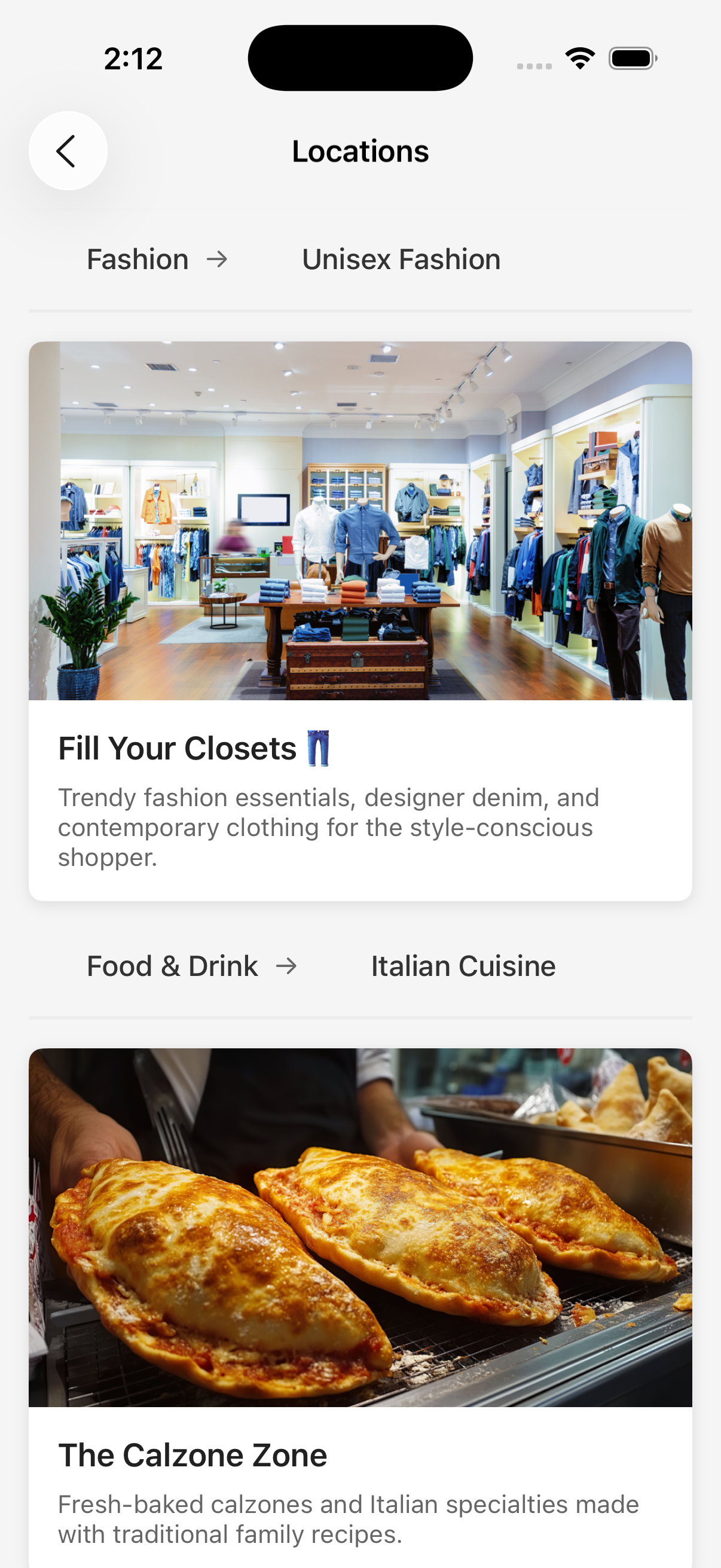
A complete example demonstrating location profiles and categories can be found in the Mappedin iOS GitHub repo: LocationsDemoViewController.swift
LocationProfile
A LocationProfile can be accessed by using the locationProfiles property of a location. For example, use Space.locationProfiles to access every LocationProfile of a space. Every LocationProfile can also be access using the MapData.getByType() method as shown below.
mapView.mapData.getByType(MapDataType.locationProfile) { [weak self] (result: Result<[LocationProfile], Error>) in
    switch result {
    case .success(let locationProfiles):
      locationProfiles.forEach { locationProfile in
        print(locationProfile.name ?? "")
      }
    case .failure(let e):
        print("getByType error: \(e)")
    }
}
LocationCategory
To access the LocationCategory of a LocationProfile, use the LocationProfile.categories property, which contains a list of IDs of its LocationCategory. Then use the MapData.getById() method to get the LocationCategory by its ID.
Note that a LocationCategory can have either parent or child categories. These are accessible using the LocationCategory.parent and LocationCategory.children properties respectively. Every LocationCategory can also be access using the MapData.getByType() method as shown below.
mapView.mapData.getByType(MapDataType.locationCategory) { [weak self] (result: Result<[LocationCategory], Error>) in
    switch result {
    case .success(let locationCategories):
      locationCategories.forEach { locationCategory in
        print(locationCategory.name)
      }
    case .failure(let e):
        print("getByType error: \(e)")
    }
}
A complete example demonstrating location profiles and categories can be found in the Mappedin iOS GitHub repo: LocationsDemoViewController.swift